Java (variables And Data Types)

Hey there, I'm Shahima, a humble professional with a penchant for analyzing details and a love for logical reasoning. Currently pursuing my computer engineering major in India, I'm also diving deep into the fascinating realm of data science. Consider Hashnode my personal virtual diary, where I jot down thoughts and discoveries in the coding universe.
Now, here's a little secret: I have a borderline obsession with data structures and algorithms, but let's keep that between us. When it comes to web development, I've got it covered like a perfectly nested div. In fact, I even had the honour of being crowned the victorious champion at the prestigious Smart India Hackathon 2022, where my problem-solving skills were put to the ultimate test. Oh, and did I mention that I miraculously clinched an international rank of 260 in the English Olympiad? Turns out coding and grammar go hand in hand!
As I embark on this exciting journey, I'm on the lookout for opportunities that allow me to unleash my data analysis prowess, decipher intricate patterns, and create models that can predict the future (well, almost). So, if you're seeking a dynamic and driven individual to join your team, consider me your debugging partner. Together, let's revolutionize the world of technology and make it bug-free! Ready to embark on this coding adventure?
DATA TYPES
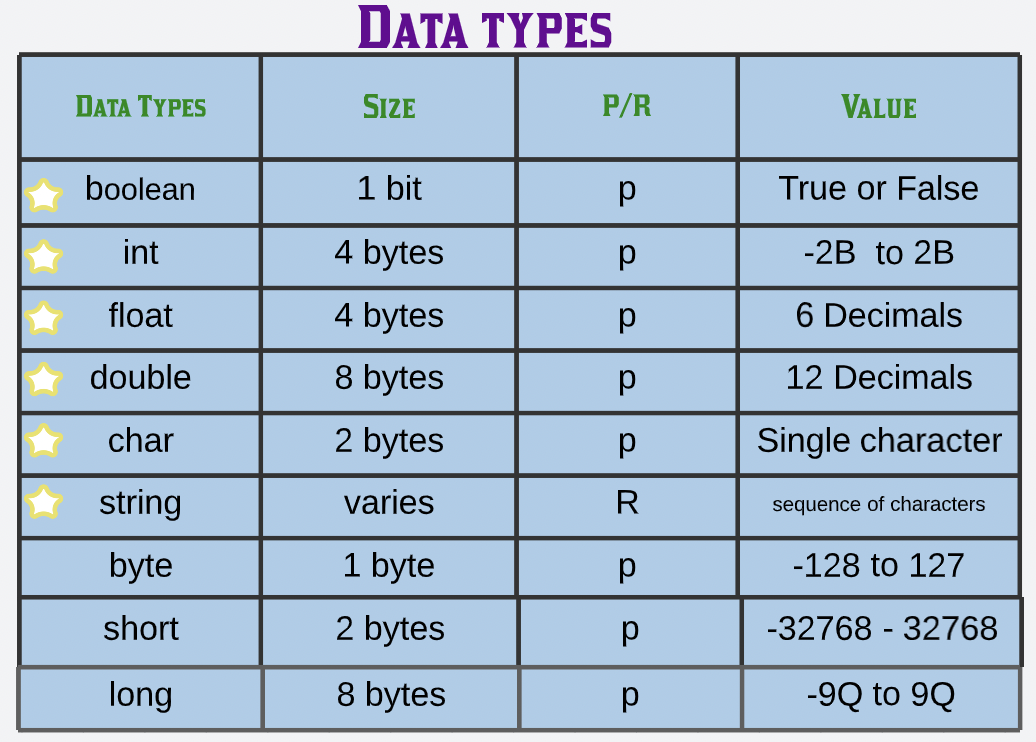
Data types are various sizes and values that may be kept in a variable that is created for convenience and to cover all scenarios.
There are two types of data types
- Primitive(p):- There are simply single values and no special abilities.
- Non Primitive or reference(R):- contain a memory address of variable values (referenced data types start with capital letter in java)
the table below enlists the data types
**IMP:- Data type declaration is required during compile time in static languages whereas dynamic languages can receive different data types over time.
VARIABLES
We assumed certain containers that housed numbers, much as we did in mathematics. Variables are used to store values in Java. We can store much more than numbers with these values, which are not restricted to numbers. We can store many different sorts of data values in a variable.
1. Creating and printing a variable
Creating a variable involves declaring the data type of the variable and the assigning the value to the the declared data type. Declaration and assigning when done simultaneously is known as initialization of a variable.
public class Main {
    public static void main(String[] args) {


        int a;      // declaration
        a = 10;    // assignment
        System.out.println(a);

        // using variables by 2nd approach

        long b = 39645478356474313L; // initialization

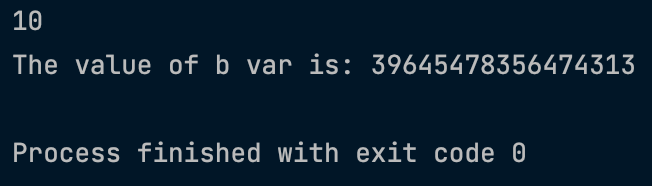
        System.out.println("The value of b var is: "+b);


    }

}
Output:-
Syntax for declaring all the data types as variables:-
public class Main {
    public static void main(String[] args) {

        int a = 456;
        float b =  3.345876f;
        double c = 1.102987634528;
        boolean d = true;
        long e = 273534244353636373L;
        byte f = 124; // note only between -127 to 127 ,hence not used much.
        short g = (short) 32768; // only between -32768 to 32768
        char symbol = '@';
        String name = "shahima";

        System.out.println("The value of a var is: " +a);
        System.out.println("The value of b var is: " +b);
        System.out.println("The value of c var is: " +c);
        System.out.println("The value of d var is: " +d);
        System.out.println("The value of e var is: " +e);
        System.out.println("The value of f var is: " +f);
        System.out.println("The value of g var is: " +g);
        System.out.println("The value of symbol var is: " +symbol);
        System.out.println("The value of name var is: " +name );


    }

}
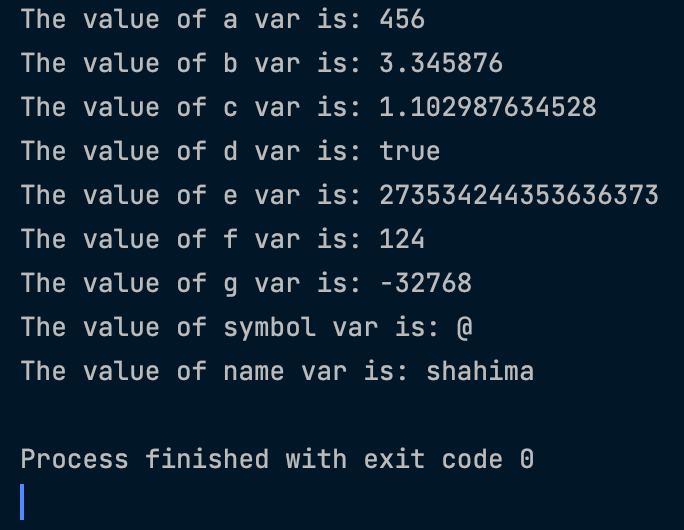
Output:-
2.Swapping 2 variables.
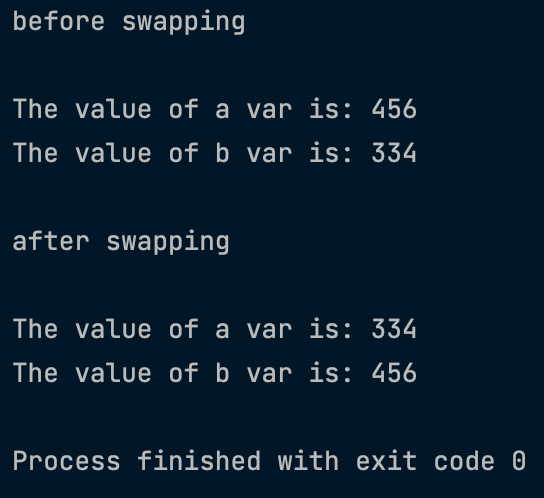
Assume you have a glass of lemon punch and a bowl of mango punch. If your mom asks you to put mango punch in the glass and lemon punch in the bowl. How would you do it ? You will need a temporary spare container to switch the contents. If you try to do it without a spare container you will end up mixing both the contents. That's what's happening in the code below.
public class Main {
    public static void main(String[] args) {

        int a = 456;
        int b =  334;
        int temp ;

        //before swapping
        System.out.println("\n before swapping\n");
        System.out.println("The value of a var is: " +a);
        System.out.println("The value of b var is: " +b);

        temp =a;
        a = b;
        b = temp;

        //After swapping
        System.out.println("\n after swapping\n");
        System.out.println("The value of a var is: " +a);
        System.out.println("The value of b var is: " +b);


    }

}
output:-